how to create a matrix server with external app bridges

you know what - I'm going to share what I did in order to create my synapse (matrix protocol) server, along with docker compose files and NPM configs.


I am kind of a noob to everything, so full illiteracy in this is a recent memory. I think that may be useful for other noobs since many guides expect that you have a ton of base knowledge... that said, some more advanced users may cringe at my incomplete understanding.


do you know about docker? its containerized software where dependencies are all packaged together nicely, apps network together, and you can break things without too much consequence.

Home
Docker Documentation is the official Docker library of resources, manuals, and guides to help you containerize applications.

you can use something called a docker compose file in order to build all environment variables, network and directory mappings, where to pull the image, and basic container settings for an entire stack of apps.

make a folder for your stack, and put the docker compose file in it. there will be other subdirectories to make as well, which we'll get to later.

my docker-compose.yml

services:
  # this is the main synapse server
  synapse:
    container_name: synapse
    image: docker.io/matrixdotorg/synapse:latest
    restart: unless-stopped
    environment:
      - SYNAPSE_REPORT_STATS=yes
      # youre going to create a homeserver.yaml
      - SYNAPSE_CONFIG_PATH=/data/homeserver.yaml
    volumes:
      - ./data:/data
    depends_on:
      matrix-postgres:
        condition: service_healthy
    ports:
      - 8008:8008/tcp
    networks:
      - matrix-internal
      - matrix-proxy
  # this is the database
  matrix-postgres:
    container_name: matrix-postgres
    image: docker.io/postgres:15-alpine
    healthcheck:
      test: ["CMD-SHELL", "pg_isready -U $${POSTGRES_USER} -d $${POSTGRES_DB}"]
      interval: 10s
      retries: 5
      start_period: 30s
      timeout: 10s
    environment:
      - POSTGRES_DB=synapsedb
      - POSTGRES_USER=synapse
      # generate a random string w openssl rand -hex 32
      - POSTGRES_PASSWORD=foooooooooooooo
      # https://element-hq.github.io/synapse/latest/postgres.html#set-up-database
      - POSTGRES_INITDB_ARGS=--encoding=UTF-8 --lc-collate=C --lc-ctype=C
    volumes:
      - ./schemas:/var/lib/postgresql/data
      # this is a script to create additional DBs for the mautrix-bridges
      - ./init-db:/docker-entrypoint-initdb.d 
    networks:
      - matrix-internal

  matrix-turnify:
    # this is an older calling tech as fallback
    container_name: matrix-turnify
    image: ghcr.io/bpbradley/matrix-turnify:latest
    env_file:
      - ./turnify.env
    restart: unless-stopped
    ports:
      - 4499:4499/tcp
    networks:
      - matrix-proxy
  # this is a service that provides tokens to initiate calls on livekit
  matrix-jwt:
    container_name: matrix-jwt
    image: ghcr.io/element-hq/lk-jwt-service:latest
    restart: unless-stopped
    # livekit key and secret can be generated
    # key: openssl rand -hex 12
    # secret: openssl rand -hex 32
    # or, you can run livekit first and generate them
    # with livekit-server generate-keys
    environment:
      - LIVEKIT_JWT_BIND=0.0.0.0:8080
      - LIVEKIT_URL=wss://rtc.domain.name
      - LIVEKIT_KEY=foo
      - LIVEKIT_SECRET=bar
      - LIVEKIT_FULL_ACCESS_HOMESERVERS=rootdomain.name
      - MATRIX_HOMESERVER=https://matrix.domain.name
    networks:
      - matrix-proxy
  # this is the newer calling tech - jwt passes this a token
  matrix-livekit:
    container_name: matrix-livekit
    image: livekit/livekit-server:latest
    command: --config /etc/livekit.yaml
    ports:
      - 7888:7888/tcp
      - 7889:7889/udp
      - 3478:3478/udp
      - 5349:5349/tcp
    restart: unless-stopped
    volumes:
      # I had to map my ssl certs from npm into the container for auth
      - /root/server/path/to/NPM/certdir:/certs:ro
      # you have to create this too (more info on that below)
      - ./livekit.yaml:/etc/livekit.yaml:ro
    networks:
      - matrix-proxy
  # this is a bridge for meta applications - ig fb whatsapp
  # since fb allows encryption and ig does not
  # i'd make separate containers for each
  # with separate configs
  # I havent created anything but instagram but I will later
  mautrix-meta:
    container_name: mautrix-meta
    image: dock.mau.dev/mautrix/meta:latest
    command: sh -c "sleep 60 && /usr/bin/mautrix-meta"
    restart: unless-stopped
    depends_on:
      - synapse
      - matrix-postgres
    volumes:
      - ./mautrix-meta:/data
    networks:
      - matrix-internal
      - matrix-proxy
  # this is the bridge for signal
  mautrix-signal:
    container_name: mautrix-signal
    image: dock.mau.dev/mautrix/signal:latest
    command: sh -c "sleep 60 && /usr/bin/mautrix-signal"
    restart: unless-stopped
    depends_on:
      - synapse
      - matrix-postgres
    volumes:
      - ./mautrix-signal:/data
    networks:
      - matrix-internal
      - matrix-proxy

networks:
  matrix-internal:
    driver: bridge
  matrix-proxy:
    external: true
      

you deploy it with:
docker compose up -d

you take it down with
docker compose down

you can wipe the docker images for a full reset with
docker compose down -v

you can start / stop / restart individual containers from the compose without bringing down the entire stack:
docker compose [docker command] [container name]

but dont deploy it yet!

there are several configs to create before you deploy - in order on the compose:

  • ./data/homeserver.yaml
  • ./init-db/create-multiple-dbs.sh
  • ./turnify.env
  • ./livekit.yaml
  • ./mautrix-meta/config.yaml
  • ./mautrix-signal/config.yaml
  • ./data/doublepuppet.yaml

keep in mind you can just make more and more mautrix bridges if you want - theres so many


./data/homeserver.yaml

homeserver.yaml is generated for you initially, then you customize it.

btw i wont take it personally if you read the documentation

Configuration Manual - Synapse

To generate: be in the dir where you have your docker compose and run this just to pull synapse and generate the config.

important: set your SYNAPSE_SERVER_NAME in this command (should be just ur root domain):

docker run -it --rm --mount type=volume,src=infra_synapse_data,dst=/data -e SYNAPSE_SERVER_NAME=example.org -e SYNAPSE_REPORT_STATS=yes matrixdotorg/synapse:v1.63.0 generate

then you will get a homeserver.yaml in data that you can further customize:

# Configuration file for Synapse.
#
# This is a YAML file: see [1] for a quick introduction. Note in particular
# that *indentation is important*: all the elements of a list or dictionary
# should have the same indentation.
#
# [1] https://docs.ansible.com/ansible/latest/reference_appendices/YAMLSyntax.html
#
# For more information on how to configure Synapse, including a complete accounting of
# each option, go to docs/usage/configuration/config_documentation.md or
# https://matrix-org.github.io/synapse/latest/usage/configuration/config_documentation.html
server_name: "rootdomain.name"
public_baseurl: "https://matrix.domain.name"
pid_file: /data/homeserver.pid
listeners:
  - port: 8008
    tls: false
    type: http
    x_forwarded: true
    resources:
      - names: [client, federation]
        compress: false
#psycopg2 is postgres
database:
  name: psycopg2
  args:
    database: synapsedb
    host: matrix-postgres
    port: 5432
    cp_min: 5
    cp_max: 10
    user: synapse
    password: #whatyougenerated

#this wipes media from db
#local media is stuff in your bridge and your user/rooms chats
##but if its federated with another person's server, they may keep a copy!
#remote media means servers you or your users joined outside your node
media_retention:
  local_media_lifetime: 365d
  remote_media_lifetime: 30d

#i currently have these commented out:
#allow_public_rooms_over_federation: true
#allow_public_rooms_without_auth: false
#restrict_public_rooms_to_local_users: false
#these are good settings imo:
require_auth_for_profile_requests: true
limit_profile_requests_to_users_who_share_rooms: false

experimental_features:
  # MSC3266: Room summary API. Used for knocking over federation
  msc3266_enabled: true
  # MSC4222: allow clients to correctly track the state of the room.
  msc4222_enabled: true
  # NEW: Enables the delayed event logic for MatrixRTC signaling
  msc4140_enabled: true
  #sliding sync
  msc4186_enabled: true
  #connectivity-to-mautrix
  msc2409_to_device_messages_enabled: true
  msc3202_device_masquerading: true
  msc3202_transaction_extensions: true

# The maximum allowed duration by which sent events can be delayed
max_event_delay_duration: 24h

rc_message:
  per_second: 0.5
  burst_count: 30

rc_delayed_event_mgmt:
  per_second: 1
  burst_count: 20

#this should already exist in your generated config:
log_config: "/data/domain.name.log.config"
media_store_path: /data/media_store

#i keep reg off - my friends join me from the matrix.org node
#there is a matrix registration bot (I didnt add it on this implementation)
#or you can just manually register people in synapse shell,
#which is what i prefer

enable_registration: false
registration_requires_token: true
#use pwgen -s 128 1 or openssl rand -hex 32
registration_shared_secret: "<YOUR_SECURE_RANDOM_STRING>"
report_stats: true
macaroon_secret_key: "<ANTOTHER_STRING>"
form_secret: "<YET_ANOTHER_STRING>"
#pretty sure the key path is generated for you initially
signing_key_path: "/data/domain.name.signing.key"
trusted_key_servers:
  - server_name: "matrix.org"

#this is where you declare your apps
#doublepuppeting is a feature of the mautrix bots that makes the #experience on the bridge much more fluid - i dont really know 
#what its like without it but I heard its better
app_service_config_files:
  - "/data/doublepuppet.yaml"
  - "/data/matrix-registration.yaml"
  - "/data/signal-registration.yaml"

#this is something i commented out and was going to use once
#it kinda passes shared secrets around thru ur bridge apps i dunno

#modules:
#  - module: shared_secret_authenticator.SharedSecretAuthProvider
#    config:
#      shared_secret: "redacted"
# vim:ft=yaml

./init-db/create-multiple-dbs.sh

#!/bin/bash
set -e
psql -v ON_ERROR_STOP=1 --username "$POSTGRES_USER" --dbname "$POSTGRES_DB" <<-EOSQL
    CREATE DATABASE mautrix_meta;
    CREATE DATABASE mautrix_signal;
EOSQL

if you want more mautrix bridges, just make more DBs. this is just on the deploy, if you want to do it later, (in postgres) you can just do:

psql -U "$POSTGRES_USER" -d "$POSTGRES_DB" -c "CREATE DATABASE mautrix_foo;"


on that note, did I mention you can shell into any container with

docker exec -it [container] /bin/bash

./turnify.env

SYNAPSE_BASE_URL=http://synapse:8008
CF_TURN_TOKEN_ID=redacted
CF_TURN_API_TOKEN=redacted
TURN_CREDENTIAL_TTL_SECONDS=86400
LOG_LEVEL=info

I set it up with cloudflare TURN tokens, its probably pretty rare that TURN is utilized... its the old way to call, but i have it as a fallback. you could ignore the entire turnify section if you wanted.


./livekit.yaml

livekit is the new calling method for matrix

port: 7880
rtc:
  tcp_port: 7888
  udp_port: 7889
  use_external_ip: true
  node_ip: yourpublicip
room:
  auto_create: true

#as you can see TURN is also in livekit, its like a fallback for livekit's 
#calling if theres some negotiation issue - i barely understand it
#forward these ports if you want turn to work
turn:
  enabled: true
  domain: rtc.domain.name
  tls_port: 5349
  udp_port: 443
  external_tls: false
  cert_file: /certs/fullchain3.pem
  key_file: /certs/privkey3.pem

#generate these in livekit with
##livekit-server generate-keys
#or use the two methods I mentioned in the compose under matrix-jwt
keys:
  foo: bar

logging:
  level: info

./mautrix-meta/config.yaml & ./mautrix-signal/config.yaml

these configs are pulled from mautrix's documentation and I customized them. they have really thorough commentary on every item.

Initial bridge config - mautrix-bridges

I will paste mine just as a reference for what I did on mautrix-meta .. remember I only did IG on this. If you get this, signal is pretty similar (start from their configs from the link above! – and read their comments, they are very useful!)

# Network-specific config options
network:
    # Which service is this bridge for? Available options:
    # * unset - allow users to pick any service when logging in (except facebook-tor)
    # * facebook - connect to FB Messenger via facebook.com
    # * facebook-tor - connect to FB Messenger via facebookwkhpilnemxj7asaniu7vnjjbiltxjqhye3mhbshg7kx5tfyd.onion
    # * messenger - connect to FB Messenger via messenger.com (can be used with the facebook side deactivated)
    # * messenger-lite - connect to FB Messenger via Messenger iOS API
    # * instagram - connect to Instagram DMs via instagram.com
    #
    # Remember to change the appservice id, bot profile info, bridge username_template and management_room_text too.
    mode: instagram
    # Should users be allowed to pick messenger.com login when mode is set to `facebook`?
    allow_messenger_com_on_fb: false
    # When in Instagram mode, should the bridge connect to WhatsApp servers for encrypted chats?
    # In FB/Messenger mode encryption is always enabled, this option only affects Instagram mode.
    ig_e2ee: true
    # Displayname template for FB/IG users. Available variables:
    #  .DisplayName - The display name set by the user.
    #  .Username - The username set by the user.
    #  .ID - The internal user ID of the user.
    displayname_template: '{{or .DisplayName .Username "Unknown user"}}'
    # Static proxy address (HTTP or SOCKS5) for connecting to Meta.
    proxy:
    # HTTP endpoint to request new proxy address from, for dynamically assigned proxies.
    # The endpoint must return a JSON body with a string field called proxy_url.
    get_proxy_from:
    # Should media be proxied too?
    proxy_media: false
    # Should E2EE messages be proxied too?
    proxy_e2ee: false
    # Minimum interval between full reconnects in seconds, default is 1 hour
    min_full_reconnect_interval_seconds: 3600
    # Interval to force refresh the connection (full reconnect), default is 20 hours. Set 0 to disable force refreshes.
    force_refresh_interval_seconds: 72000
    # Should connection state be cached to allow quicker restarts?
    cache_connection_state: true
    # Disable fetching XMA media (reels, stories, etc) when backfilling.
    disable_xma_backfill: true
    # Disable fetching XMA media entirely.
    disable_xma_always: false
    # Should the bridge mark you as online when you send typing
    # notifications? Currently, this only has an effect for E2EE chats on
    # Facebook/Messenger. Full presence bridging is not supported.
    send_presence_on_typing: false
    # Should the bridge, when operating in Instagram mode, subscribe to an
    # additional websocket to receive typing indicators from other users?
    # An additional connection is only needed for receiving Instagram
    # typing indicators; the existing connection(s) are sufficient to send
    # and receive typing indicators in all other cases.
    receive_instagram_typing_indicators: true
    # Should view-once messages be disabled entirely?
    disable_view_once: false
    # Thread backfill settings for syncing older conversations
    thread_backfill:
        # Number of batches (pages) to backfill (-1 for unlimited, 0 to disable)
        batch_count: 10
        # Delay between fetching each batch of threads (to avoid rate limiting)
        batch_delay: 2s

# Config options that affect the central bridge module.
bridge:
    # The prefix for commands. Only required in non-management rooms.
    command_prefix: '!meta'
    # Should the bridge create a space for each login containing the rooms that account is in?
    personal_filtering_spaces: true
    # Whether the bridge should set names and avatars explicitly for DM portals.
    # This is only necessary when using clients that don't support MSC4171.
    private_chat_portal_meta: true
    # Should events be handled asynchronously within portal rooms?
    # If true, events may end up being out of order, but slow events won't block other ones.
    # This is not yet safe to use.
    async_events: false
    # Should every user have their own portals rather than sharing them?
    # By default, users who are in the same group on the remote network will be
    # in the same Matrix room bridged to that group. If this is set to true,
    # every user will get their own Matrix room instead.
    # SETTING THIS IS IRREVERSIBLE AND POTENTIALLY DESTRUCTIVE IF PORTALS ALREADY EXIST.
    split_portals: false
    # Should the bridge resend `m.bridge` events to all portals on startup?
    resend_bridge_info: false
    # Should `m.bridge` events be sent without a state key?
    # By default, the bridge uses a unique key that won't conflict with other bridges.
    no_bridge_info_state_key: false
    # Should bridge connection status be sent to the management room as `m.notice` events?
    # These contain the same data that can be posted to an external HTTP server using homeserver -> status_endpoint.
    # Allowed values: none, errors, all
    bridge_status_notices: errors
    # How long after an unknown error should the bridge attempt a full reconnect?
    # Must be at least 1 minute. The bridge will add an extra ±20% jitter to this value.
    unknown_error_auto_reconnect: 5m

    # Should leaving Matrix rooms be bridged as leaving groups on the remote network?
    bridge_matrix_leave: false
    # Should `m.notice` messages be bridged?
    bridge_notices: false
    # Should room tags only be synced when creating the portal? Tags mean things like favorite/pin and archive/low priority.
    # Tags currently can't be synced back to the remote network, so a continuous sync means tagging from Matrix will be undone.
    tag_only_on_create: true
    # List of tags to allow bridging. If empty, no tags will be bridged.
    only_bridge_tags: [m.favourite, m.lowpriority]
    # Should room mute status only be synced when creating the portal?
    # Like tags, mutes can't currently be synced back to the remote network.
    mute_only_on_create: true
    # Should the bridge check the db to ensure that incoming events haven't been handled before
    deduplicate_matrix_messages: false
    # Should cross-room reply metadata be bridged?
    # Most Matrix clients don't support this and servers may reject such messages too.
    cross_room_replies: false
    # If a state event fails to bridge, should the bridge revert any state changes made by that event?
    revert_failed_state_changes: false
    # In portals with no relay set, should Matrix users be kicked if they're
    # not logged into an account that's in the remote chat?
    kick_matrix_users: true

    # What should be done to portal rooms when a user logs out or is logged out?
    # Permitted values:
    #   nothing - Do nothing, let the user stay in the portals
    #   kick - Remove the user from the portal rooms, but don't delete them
    #   unbridge - Remove all ghosts in the room and disassociate it from the remote chat
    #   delete - Remove all ghosts and users from the room (i.e. delete it)
    cleanup_on_logout:
        # Should cleanup on logout be enabled at all?
        enabled: false
        # Settings for manual logouts (explicitly initiated by the Matrix user)
        manual:
            # Action for private portals which will never be shared with other Matrix users.
            private: nothing
            # Action for portals with a relay user configured.
            relayed: nothing
            # Action for portals which may be shared, but don't currently have any other Matrix users.
            shared_no_users: nothing
            # Action for portals which have other logged-in Matrix users.
            shared_has_users: nothing
        # Settings for credentials being invalidated (initiated by the remote network, possibly through user action).
        # Keys have the same meanings as in the manual section.
        bad_credentials:
            private: nothing
            relayed: nothing
            shared_no_users: nothing
            shared_has_users: nothing

    # Settings for relay mode
    relay:
        # Whether relay mode should be allowed. If allowed, the set-relay command can be used to turn any
        # authenticated user into a relaybot for that chat.
        enabled: false
        # Should only admins be allowed to set themselves as relay users?
        # If true, non-admins can only set users listed in default_relays as relays in a room.
        admin_only: true
        # List of user login IDs which anyone can set as a relay, as long as the relay user is in the room.
        default_relays: []
        # The formats to use when sending messages via the relaybot.
        # Available variables:
        #   .Sender.UserID - The Matrix user ID of the sender.
        #   .Sender.Displayname - The display name of the sender (if set).
        #   .Sender.RequiresDisambiguation - Whether the sender's name may be confused with the name of another user in the room.
        #   .Sender.DisambiguatedName - The disambiguated name of the sender. This will be the displayname if set,
        #                               plus the user ID in parentheses if the displayname is not unique.
        #                               If the displayname is not set, this is just the user ID.
        #   .Message - The `formatted_body` field of the message.
        #   .Caption - The `formatted_body` field of the message, if it's a caption. Otherwise an empty string.
        #   .FileName - The name of the file being sent.
        message_formats:
            m.text: "<b>{{ .Sender.DisambiguatedName }}</b>: {{ .Message }}"
            m.notice: "<b>{{ .Sender.DisambiguatedName }}</b>: {{ .Message }}"
            m.emote: "* <b>{{ .Sender.DisambiguatedName }}</b> {{ .Message }}"
            m.file: "<b>{{ .Sender.DisambiguatedName }}</b> sent a file{{ if .Caption }}: {{ .Caption }}{{ end }}"
            m.image: "<b>{{ .Sender.DisambiguatedName }}</b> sent an image{{ if .Caption }}: {{ .Caption }}{{ end }}"
            m.audio: "<b>{{ .Sender.DisambiguatedName }}</b> sent an audio file{{ if .Caption }}: {{ .Caption }}{{ end }}"
            m.video: "<b>{{ .Sender.DisambiguatedName }}</b> sent a video{{ if .Caption }}: {{ .Caption }}{{ end }}"
            m.location: "<b>{{ .Sender.DisambiguatedName }}</b> sent a location{{ if .Caption }}: {{ .Caption }}{{ end }}"
        # For networks that support per-message displaynames (i.e. Slack and Discord), the template for those names.
        # This has all the Sender variables available under message_formats (but without the .Sender prefix).
        # Note that you need to manually remove the displayname from message_formats above.
        displayname_format: "{{ .DisambiguatedName }}"

    # Permissions for using the bridge.
    # Permitted values:
    #    relay - Talk through the relaybot (if enabled), no access otherwise
    # commands - Access to use commands in the bridge, but not login.
    #     user - Access to use the bridge with puppeting.
    #    admin - Full access, user level with some additional administration tools.
    # Permitted keys:
    #        * - All Matrix users
    #   domain - All users on that homeserver
    #     mxid - Specific user
    permissions:
        "*": relay
        "@youradminuser:your.domain": admin

# Config for the bridge's database.
database:
    # The database type. "sqlite3-fk-wal" and "postgres" are supported.
    type: postgres
    # The database URI.
    #   SQLite: A raw file path is supported, but `file:<path>?_txlock=immediate` is recommended.
    #           https://github.com/mattn/go-sqlite3#connection-string
    #   Postgres: Connection string. For example, postgres://user:password@host/database?sslmode=disable
    #             To connect via Unix socket, use something like postgres:///dbname?host=/var/run/postgresql
    uri: postgres://synapse:dbpassword@matrix-postgres/mautrix_meta?sslmode=disable
    # Maximum number of connections.
    max_open_conns: 20
    max_idle_conns: 2
    # Maximum connection idle time and lifetime before they're closed. Disabled if null.
    # Parsed with https://pkg.go.dev/time#ParseDuration
    max_conn_idle_time: null
    max_conn_lifetime: null

# Homeserver details.
homeserver:
    # The address that this appservice can use to connect to the homeserver.
    # Local addresses without HTTPS are generally recommended when the bridge is running on the same machine,
    # but https also works if they run on different machines.
    address: http://synapse:8008
    # The domain of the homeserver (also known as server_name, used for MXIDs, etc).
    domain: fair.casa

    # What software is the homeserver running?
    # Standard Matrix homeservers like Synapse, Dendrite and Conduit should just use "standard" here.
    software: standard
    # The URL to push real-time bridge status to.
    # If set, the bridge will make POST requests to this URL whenever a user's remote network connection state changes.
    # The bridge will use the appservice as_token to authorize requests.
    status_endpoint:
    # Endpoint for reporting per-message status.
    # If set, the bridge will make POST requests to this URL when processing a message from Matrix.
    # It will make one request when receiving the message (step BRIDGE), one after decrypting if applicable
    # (step DECRYPTED) and one after sending to the remote network (step REMOTE). Errors will also be reported.
    # The bridge will use the appservice as_token to authorize requests.
    message_send_checkpoint_endpoint:
    # Does the homeserver support https://github.com/matrix-org/matrix-spec-proposals/pull/2246?
    async_media: false

    # Should the bridge use a websocket for connecting to the homeserver?
    # The server side is currently not documented anywhere and is only implemented by mautrix-wsproxy,
    # mautrix-asmux (deprecated), and hungryserv (proprietary).
    websocket: false
    # How often should the websocket be pinged? Pinging will be disabled if this is zero.
    ping_interval_seconds: 0

# Application service host/registration related details.
# Changing these values requires regeneration of the registration (except when noted otherwise)
appservice:
    # The address that the homeserver can use to connect to this appservice.
    # Like the homeserver address, a local non-https address is recommended when the bridge is on the same machine.
    # If the bridge is elsewhere, you must secure the connection yourself (e.g. with https or wireguard)
    # If you want to use https, you need to use a reverse proxy. The bridge does not have TLS support built in.
    address: http://mautrix-meta:29319
    # A public address that external services can use to reach this appservice.
    # This is only needed for things like public media. A reverse proxy is generally necessary when using this field.
    # This value doesn't affect the registration file.
    public_address: https://bridge.example.com

    # The hostname and port where this appservice should listen.
    # For Docker, you generally have to change the hostname to 0.0.0.0.
    hostname: 0.0.0.0
    port: 29319

    # The unique ID of this appservice.
    id: meta
    # Appservice bot details.
    bot:
        # Username of the appservice bot.
        username: metabot
        # Display name and avatar for bot. Set to "remove" to remove display name/avatar, leave empty
        # to leave display name/avatar as-is.
        displayname: Meta bridge bot
        avatar: mxc://maunium.net/DxpVrwwzPUwaUSazpsjXgcKB

    # Whether to receive ephemeral events via appservice transactions.
    ephemeral_events: true
    # Should incoming events be handled asynchronously?
    # This may be necessary for large public instances with lots of messages going through.
    # However, messages will not be guaranteed to be bridged in the same order they were sent in.
    # This value doesn't affect the registration file.
    async_transactions: false

    # Authentication tokens for AS <-> HS communication. Autogenerated; do not modify.
    as_token: "redacted"
    hs_token: "redacted"

    # Localpart template of MXIDs for remote users.
    # {{.}} is replaced with the internal ID of the user.
    username_template: meta_{{.}}

# Config options that affect the Matrix connector of the bridge.
matrix:
    # Whether the bridge should send the message status as a custom com.beeper.message_send_status event.
    message_status_events: false
    # Whether the bridge should send a read receipt after successfully bridging a message.
    delivery_receipts: true
    # Whether the bridge should send error notices via m.notice events when a message fails to bridge.
    message_error_notices: true
    # Whether the bridge should update the m.direct account data event when double puppeting is enabled.
    sync_direct_chat_list: true
    # Whether created rooms should have federation enabled. If false, created portal rooms
    # will never be federated. Changing this option requires recreating rooms.
    federate_rooms: false
    # The threshold as bytes after which the bridge should roundtrip uploads via the disk
    # rather than keeping the whole file in memory.
    upload_file_threshold: 5242880

# Segment-compatible analytics endpoint for tracking some events, like provisioning API login and encryption errors.
analytics:
    # API key to send with tracking requests. Tracking is disabled if this is null.
    token: null
    # Address to send tracking requests to.
    url: https://api.segment.io/v1/track
    # Optional user ID for tracking events. If null, defaults to using Matrix user ID.
    user_id: null

# Settings for provisioning API
provisioning:
    # Shared secret for authentication. If set to "generate" or null, a random secret will be generated,
    # or if set to "disable", the provisioning API will be disabled. Must be at least 16 characters.
    shared_secret: redacted
    # Whether to allow provisioning API requests to be authed using Matrix access tokens.
    # This follows the same rules as double puppeting to determine which server to contact to check the token,
    # which means that by default, it only works for users on the same server as the bridge.
    allow_matrix_auth: true
    # Enable debug API at /debug with provisioning authentication.
    debug_endpoints: false
    # Enable session transfers between bridges. Note that this only validates Matrix or shared secret
    # auth before passing live network client credentials down in the response.
    enable_session_transfers: false

# Some networks require publicly accessible media download links (e.g. for user avatars when using Discord webhooks).
# These settings control whether the bridge will provide such public media access.
public_media:
    # Should public media be enabled at all?
    # The public_address field under the appservice section MUST be set when enabling public media.
    enabled: false
    # A key for signing public media URLs.
    # If set to "generate", a random key will be generated.
    signing_key: redacted
    # Number of seconds that public media URLs are valid for.
    # If set to 0, URLs will never expire.
    expiry: 0
    # Length of hash to use for public media URLs. Must be between 0 and 32.
    hash_length: 32
    # The path prefix for generated URLs. Note that this will NOT change the path where media is actually served.
    # If you change this, you must configure your reverse proxy to rewrite the path accordingly.
    path_prefix: /_mautrix/publicmedia
    # Should the bridge store media metadata in the database in order to support encrypted media and generate shorter URLs?
    # If false, the generated URLs will just have the MXC URI and a HMAC signature.
    # The hash_length field will be used to decide the length of the generated URL.
    # This also allows invalidating URLs by deleting the database entry.
    use_database: false

# Settings for converting remote media to custom mxc:// URIs instead of reuploading.
# More details can be found at https://docs.mau.fi/bridges/go/discord/direct-media.html
direct_media:
    # Should custom mxc:// URIs be used instead of reuploading media?
    enabled: false
    # The server name to use for the custom mxc:// URIs.
    # This server name will effectively be a real Matrix server, it just won't implement anything other than media.
    # You must either set up .well-known delegation from this domain to the bridge, or proxy the domain directly to the bridge.
    server_name: discord-media.example.com
    # Optionally a custom .well-known response. This defaults to `server_name:443`
    well_known_response:
    # Optionally specify a custom prefix for the media ID part of the MXC URI.
    media_id_prefix:
    # If the remote network supports media downloads over HTTP, then the bridge will use MSC3860/MSC3916
    # media download redirects if the requester supports it. Optionally, you can force redirects
    # and not allow proxying at all by setting this to false.
    # This option does nothing if the remote network does not support media downloads over HTTP.
    allow_proxy: true
    # Matrix server signing key to make the federation tester pass, same format as synapse's .signing.key file.
    # This key is also used to sign the mxc:// URIs to ensure only the bridge can generate them.
    server_key: redacted

# Settings for backfilling messages.
# Note that the exact way settings are applied depends on the network connector.
# See https://docs.mau.fi/bridges/general/backfill.html for more details.
backfill:
    # Whether to do backfilling at all.
    enabled: true
    # Maximum number of messages to backfill in empty rooms.
    max_initial_messages: 50
    # Maximum number of missed messages to backfill after bridge restarts.
    max_catchup_messages: 500
    # If a backfilled chat is older than this number of hours,
    # mark it as read even if it's unread on the remote network.
    unread_hours_threshold: 720
    # Settings for backfilling threads within other backfills.
    threads:
        # Maximum number of messages to backfill in a new thread.
        max_initial_messages: 50
    # Settings for the backwards backfill queue. This only applies when connecting to
    # Beeper as standard Matrix servers don't support inserting messages into history.
    queue:
        # Should the backfill queue be enabled?
        enabled: false
        # Number of messages to backfill in one batch.
        batch_size: 100
        # Delay between batches in seconds.
        batch_delay: 20
        # Maximum number of batches to backfill per portal.
        # If set to -1, all available messages will be backfilled.
        max_batches: -1
        # Optional network-specific overrides for max batches.
        # Interpretation of this field depends on the network connector.
        max_batches_override: {}

# Settings for enabling double puppeting
double_puppet:
    # Servers to always allow double puppeting from.
    # This is only for other servers and should NOT contain the server the bridge is on.
    servers: {}
    # Whether to allow client API URL discovery for other servers. When using this option,
    # users on other servers can use double puppeting even if their server URLs aren't
    # explicitly added to the servers map above.
    allow_discovery: false
    # Shared secrets for automatic double puppeting.
    # See https://docs.mau.fi/bridges/general/double-puppeting.html for instructions.
    # comment from jesse read that doc above, the doublepuppet config
    # works for multiple bridges!
    secrets:
        your.domain: "as_token:redacted"

# End-to-bridge encryption support options.
#
# See https://docs.mau.fi/bridges/general/end-to-bridge-encryption.html for more info.
encryption:
    # Whether to enable encryption at all. If false, the bridge will not function in encrypted rooms.
    allow: true
    # Whether to force-enable encryption in all bridged rooms.
    default: false
    # Whether to require all messages to be encrypted and drop any unencrypted messages.
    require: false
    # Whether to use MSC3202/MSC4203 instead of /sync long polling for receiving encryption-related data.
    # This option is not yet compatible with standard Matrix servers like Synapse and should not be used.
    # Changing this option requires updating the appservice registration file.
    appservice: false
    # Whether to use MSC4190 instead of appservice login to create the bridge bot device.
    # Requires the homeserver to support MSC4190 and the device masquerading parts of MSC3202.
    # Only relevant when using end-to-bridge encryption, required when using encryption with next-gen auth (MSC3861).
    # Changing this option requires updating the appservice registration file.
    msc4190: false
    # Whether to encrypt reactions and reply metadata as per MSC4392.
    msc4392: false
    # Should the bridge bot generate a recovery key and cross-signing keys and verify itself?
    # Note that without the latest version of MSC4190, this will fail if you reset the bridge database.
    # The generated recovery key will be saved in the kv_store table under `recovery_key`.
    self_sign: false
    # Enable key sharing? If enabled, key requests for rooms where users are in will be fulfilled.
    # You must use a client that supports requesting keys from other users to use this feature.
    allow_key_sharing: true
    # Pickle key for encrypting encryption keys in the bridge database.
    # If set to generate, a random key will be generated.
    pickle_key: redacted
    # Options for deleting megolm sessions from the bridge.
    delete_keys:
        # Beeper-specific: delete outbound sessions when hungryserv confirms
        # that the user has uploaded the key to key backup.
        delete_outbound_on_ack: false
        # Don't store outbound sessions in the inbound table.
        dont_store_outbound: false
        # Ratchet megolm sessions forward after decrypting messages.
        ratchet_on_decrypt: false
        # Delete fully used keys (index >= max_messages) after decrypting messages.
        delete_fully_used_on_decrypt: false
        # Delete previous megolm sessions from same device when receiving a new one.
        delete_prev_on_new_session: false
        # Delete megolm sessions received from a device when the device is deleted.
        delete_on_device_delete: false
        # Periodically delete megolm sessions when 2x max_age has passed since receiving the session.
        periodically_delete_expired: false
        # Delete inbound megolm sessions that don't have the received_at field used for
        # automatic ratcheting and expired session deletion. This is meant as a migration
        # to delete old keys prior to the bridge update.
        delete_outdated_inbound: false
    # What level of device verification should be required from users?
    #
    # Valid levels:
    #   unverified - Send keys to all device in the room.
    #   cross-signed-untrusted - Require valid cross-signing, but trust all cross-signing keys.
    #   cross-signed-tofu - Require valid cross-signing, trust cross-signing keys on first use (and reject changes).
    #   cross-signed-verified - Require valid cross-signing, plus a valid user signature from the bridge bot.
    #                           Note that creating user signatures from the bridge bot is not currently possible.
    #   verified - Require manual per-device verification
    #              (currently only possible by modifying the `trust` column in the `crypto_device` database table).
    verification_levels:
        # Minimum level for which the bridge should send keys to when bridging messages from the remote network to Matrix.
        receive: unverified
        # Minimum level that the bridge should accept for incoming Matrix messages.
        send: unverified
        # Minimum level that the bridge should require for accepting key requests.
        share: cross-signed-tofu
    # Options for Megolm room key rotation. These options allow you to configure the m.room.encryption event content.
    # See https://spec.matrix.org/v1.10/client-server-api/#mroomencryption for more information about that event.
    rotation:
        # Enable custom Megolm room key rotation settings. Note that these
        # settings will only apply to rooms created after this option is set.
        enable_custom: false
        # The maximum number of milliseconds a session should be used
        # before changing it. The Matrix spec recommends 604800000 (a week)
        # as the default.
        milliseconds: 604800000
        # The maximum number of messages that should be sent with a given a
        # session before changing it. The Matrix spec recommends 100 as the
        # default.
        messages: 100
        # Disable rotating keys when a user's devices change?
        # You should not enable this option unless you understand all the implications.
        disable_device_change_key_rotation: false

# Prefix for environment variables. All variables with this prefix must map to valid config fields.
# Nesting in variable names is represented with a dot (.).
# If there are no dots in the name, two underscores (__) are replaced with a dot.
#
# e.g. if the prefix is set to `BRIDGE_`, then `BRIDGE_APPSERVICE__AS_TOKEN` will set appservice.as_token.
# `BRIDGE_appservice.as_token` would work as well, but can't be set in a shell as easily.
#
# If this is null, reading config fields from environment will be disabled.
env_config_prefix: null

# Logging config. See https://github.com/tulir/zeroconfig for details.
logging:
    min_level: info
    writers:
        - type: stdout
          format: pretty-colored
        - type: file
          format: json
          filename: ./logs/bridge.log
          max_size: 100
          max_backups: 10
          compress: false
          
          ```

FYI, these configs are never touched by synapse. Did you notice: synapse is just looking at something called *-registration.yaml (referenced in the homeserver.yaml)??

Yes indeed - what happens is, you create your mautrix config, you run the service for the first time, and the registration file generates. If you make changes to the config later, you'll (potentially) need to regenerate the registration file. Some changes don't need you to, though.

IN MY CASE - the registration.yaml is created in the individual mautrix-service subdirectory, and I rename it (to the names declared in homeserver.yaml), move it into the data dir, and set the correct user:grp and permissions (btw as an unraid user its 991:991 and 664).

There are ways to simply declare the registration file name / path in the config, set the user:group correctly on the mautrix-service compose, and running the service will plop it right into your data folder automatically... but I didn't do that.


./data/doublepuppet.yaml

btw, docs

Double puppeting - mautrix-bridges
# The ID doesn't really matter, put whatever you want.
id: doublepuppet
# The URL is intentionally left empty (null), as the homeserver shouldn't
# push events anywhere for this extra appservice. If you use a
# non-spec-compliant server, you may need to put some fake URL here.
url:
# Generate random strings for these three fields. Only the as_token really
# matters, hs_token is never used because there's no url, and the default
# user (sender_localpart) is never used either.
# once again this should do the trick for these:
# openssl rand -hex 32
as_token: redacted
hs_token: redacted
sender_localpart: redacted
# Bridges don't like ratelimiting. This should only apply when using the
# as_token, normal user tokens will still be ratelimited.
rate_limited: false
namespaces:
  users:
  # Replace your\.domain with your server name (escape dots for regex)
  - regex: '@.*:domain.name'
    # This must be false so the appservice doesn't take over all users completely.
    exclusive: false
    ```

once you have synapse running, you can run

register_new_matrix_user -c homeserver.yaml

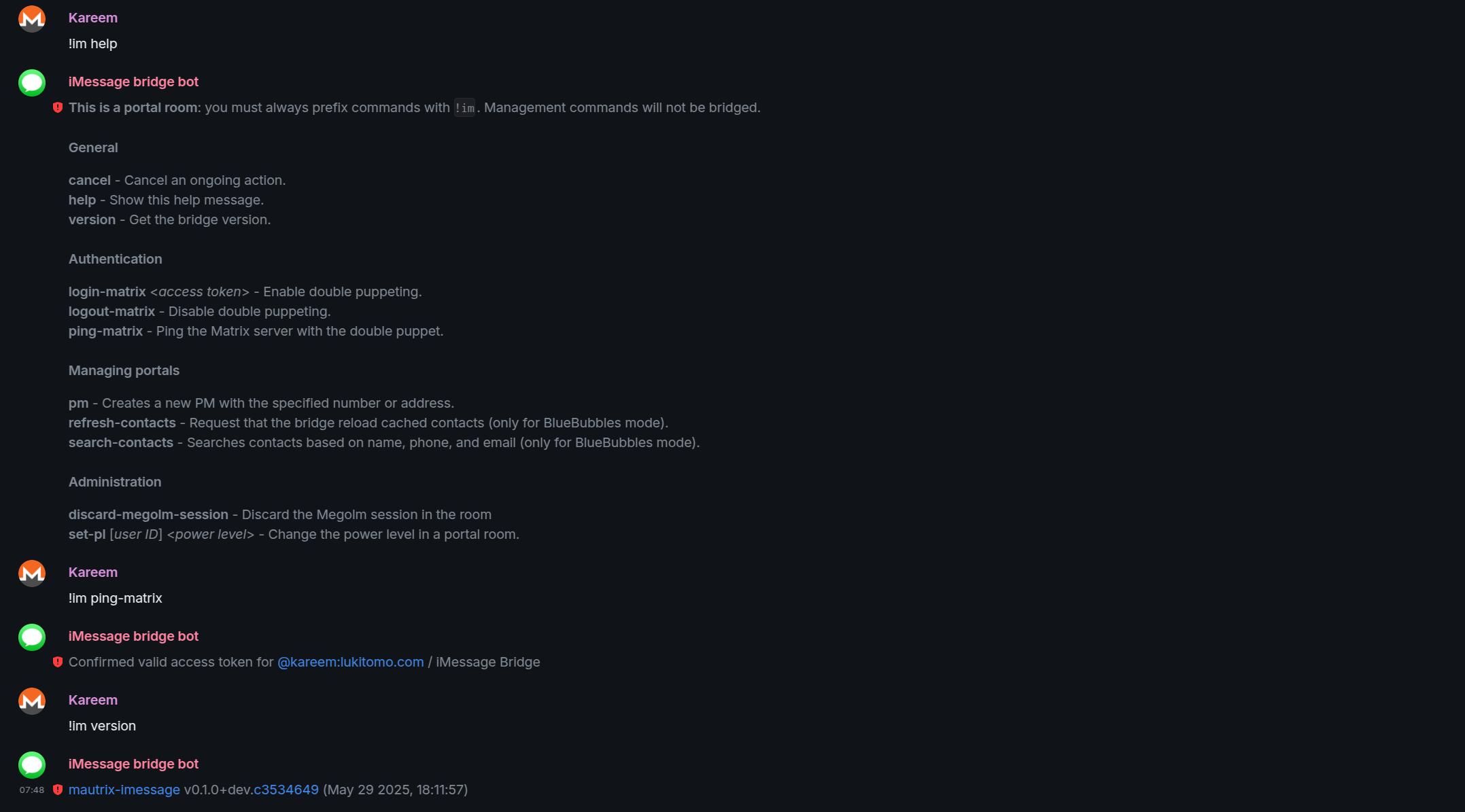
guess I should mention this, after your server is online and totally tested, you'll have bot users for mautrix bridges (DM them and they'll give you instructions on how to connect to your services). You defined the bot user names in the various mautrix-bridge config files.

You can test if doublepuppeting is working by sending them "ping-matrix", and you can login by sending them "login".

Remember doublepuppeting only needs to be set up once for all your bridges.


NGINX PROXY MANAGER CONFIGS

If you didn't have any reverse proxy set up, you could roll it all into this compose but I already had NPM running with lets encrypt certs etc.

You're going to want to attach your reverse proxy to the docker network we created in the compose (matrix-proxy).

I use unraid, and I installed NPM in the gui. So for that I just add:

--network matrix-proxy

to "extra parameters" under the advanced settings on NPM in unraid.

on to the NPM setup...


The integration and handoff of a single user across these apps requires CORS on everything - thats not a GUI option in nginx-proxy-manager, it all has to be declared in the headers.


First you need some instructions on the root domain. The goal of this is so that your user name in matrix looks like:

@coolguy:hackerman.com

instead of a disgusting name like:

@lameguy:matrix.hackerman.com

root domain

gui - main domain goes to my blog (this website), i have block common exploits and websockets on
proxy_set_header X-Forwarded-For $remote_addr;
proxy_set_header X-Forwarded-Proto $scheme;
proxy_set_header Host $host;
client_max_body_size 64M;
proxy_intercept_errors on;

proxy_ssl_server_name on;
proxy_ssl_name $host;
proxy_ssl_session_reuse off;


location = /.well-known/matrix/server {
    default_type application/json;
    add_header Access-Control-Allow-Origin * always;
    proxy_set_header Host $host;
    proxy_set_header X-Forwarded-For $remote_addr;
    proxy_set_header X-Forwarded-Proto $scheme;
    proxy_http_version 1.1;
    return 200 '{ "m.server": "matrix.your.domain:443" }';
}

location = /.well-known/matrix/client {
  default_type application/json;
  add_header Access-Control-Allow-Origin * always;
  return 200 '{
  "m.homeserver":
    {"base_url": "https://matrix.your.domain"},
  "org.matrix.msc4143.rtc_foci": [
    {"type": "livekit",
      "livekit_service_url": "https://rtc.your.domain"}]
  }';
}

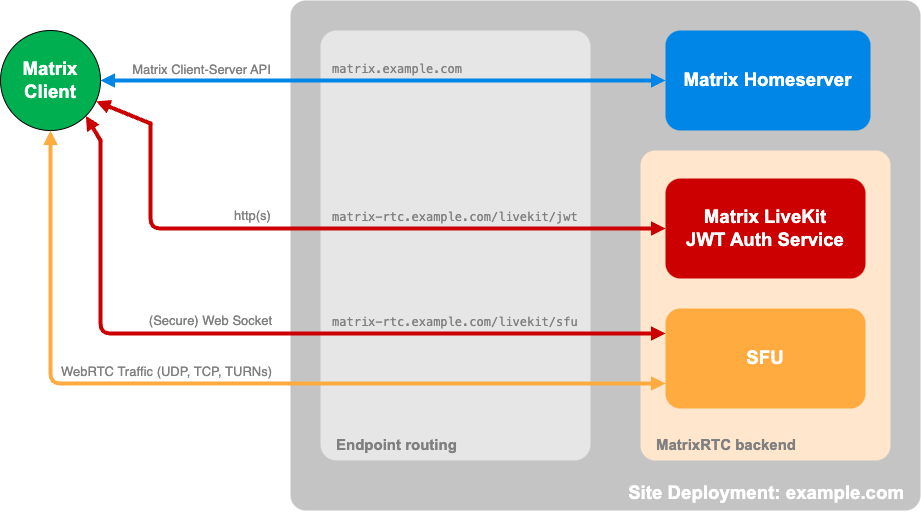
what you're seeing here are instructions for the matrix clients, pointing them to certain services at other domains - so from the user perspective they just connect to your domain name.


matrix.your.domain

gui: http synapse:8008 - i have websockets off here in the ui but block common exploits on, and cache assets off
proxy_set_header Upgrade $http_upgrade;
proxy_set_header Connection $http_connection;

proxy_set_header X-Forwarded-For $remote_addr;
proxy_set_header X-Forwarded-Proto $scheme;
proxy_set_header Host $host;
client_max_body_size 64M;

location = /.well-known/matrix/server {
    default_type application/json;
    add_header Access-Control-Allow-Origin * always;
    return 200 '{"m.server": "matrix.your.domain:443"}';
}

location = /.well-known/matrix/client {
    default_type application/json;
    add_header Access-Control-Allow-Origin * always;
    return 200 '{
      "m.homeserver": {"base_url": "https://matrix.your.domain"},
      "org.matrix.msc4143.rtc_foci": [
        {"type": "livekit", "livekit_service_url": "https://rtc.your.domain"}
      ]
    }';
}

location ^~ /_matrix/client/api/v1/voip/turnServer {
    add_header Access-Control-Allow-Origin * always;
    proxy_pass http://matrix-turnify:4499;
    proxy_set_header X-Real-IP $remote_addr;
    proxy_http_version 1.1;
}

location ^~ /_matrix/client/r0/voip/turnServer {
    add_header Access-Control-Allow-Origin * always;
    proxy_pass http://matrix-turnify:4499;
    proxy_set_header X-Real-IP $remote_addr;
    proxy_http_version 1.1;
}

location ^~ /_matrix/client/v3/voip/turnServer {
    add_header Access-Control-Allow-Origin * always;
    proxy_pass http://matrix-turnify:4499;
    proxy_set_header X-Real-IP $remote_addr;
    proxy_http_version 1.1;
}

location ^~ /_matrix/client/unstable/voip/turnServer {
    add_header Access-Control-Allow-Origin * always;
    proxy_pass http://matrix-turnify:4499;
    proxy_set_header X-Real-IP $remote_addr;
    proxy_http_version 1.1;
}

location /_matrix {
    proxy_pass http://synapse:8008;
    proxy_http_version 1.1;
}

location /_synapse/client {
    proxy_pass http://synapse:8008;
    proxy_http_version 1.1;
}

you see all these different locations going to the same proxy_pass ... i did have them all in one entry with a regex but it kept breaking so i just broke them up explicitly. Could be a me problem.


rtc.your.domain

gui: http to matrix-livekit:7880, block common exploits and websockets on
location = /.well-known/matrix/server {
    default_type application/json;
    add_header Access-Control-Allow-Origin * always;
    return 200 '{"m.server":"matrix.your.domain:443"}';
}

location = /.well-known/matrix/client {
    default_type application/json;
    add_header Access-Control-Allow-Origin * always;
    add_header Cache-Control "no-cache" always;
    return 200 '{"m.homeserver":{"base_url":"https://matrix.your.domain"},"org.matrix.msc4143.rtc_foci":[{"type":"livekit","livekit_service_url":"https://rtc.your.domain"}]}';
}

location ~ ^/(livekit/jwt|sfu/get|get_token|healthz|rtc/) {
    # Handle CORS preflight
    if ($request_method = OPTIONS) {
        add_header Access-Control-Allow-Origin * always;
        add_header Access-Control-Allow-Methods "GET, POST, OPTIONS" always;
        add_header Access-Control-Allow-Headers "Accept, Content-Type, Content-Length, Accept-Encoding, X-CSRF-Token" always;
        add_header Content-Length 0;
        return 204;
    }
    proxy_hide_header Access-Control-Allow-Origin;
    add_header Access-Control-Allow-Origin * always;
    add_header Access-Control-Allow-Methods "GET, POST, OPTIONS" always;
    add_header Access-Control-Allow-Headers "Accept, Content-Type, Content-Length, Accept-Encoding, X-CSRF-Token" always;
    proxy_pass http://matrix-jwt:8080;
    proxy_set_header Host $host;
    proxy_set_header X-Real-IP $remote_addr;
    proxy_set_header X-Forwarded-For $remote_addr;
    proxy_set_header X-Forwarded-Proto $scheme;
}
location / {
    proxy_pass http://matrix-livekit:7880;
    proxy_http_version 1.1;
    proxy_set_header Upgrade $http_upgrade;
    proxy_set_header Connection "upgrade";
    proxy_set_header Host $host;
    proxy_set_header X-Real-IP $remote_addr;
    proxy_set_header X-Forwarded-For $remote_addr;
    proxy_set_header X-Forwarded-Proto $scheme;
    proxy_read_timeout 7200s;
    proxy_send_timeout 7200s;
    proxy_buffering off;
    proxy_cache off;
    proxy_ignore_client_abort on;
}

Are these NPM configs cringe? Could be. Maybe they could be cleaned up.. even though many posts I saw did not tell me to explicitly define .well-known/matrix/server and .well-known/matrix/client at every level, I found it kept breaking over and over again without that declared on every subdomain.


THE WAN

Now how does the internet get in? well this is my set up, and maybe you want to do it differently.

I have zerotrust cloudflare tunnels sending the root domain, matrix.domain and rtc.domain to Nginx's docker hostname:port, and a docker network between the "cloudflared" docker image and my NPM.

Cloudflare edge –> cloudflared -> NPM -> services

I tried so hard not to port forward but its impossible if you want to host the calls locally, cloudflare tunnels just handle http(s), once the request to create a call comes in, a connection is made between your server/network and the user.

Forwards you need based on the configs we shared in this post are 80, 443, 3478(udp), 5349(tcp), 7888(tcp), 7889(udp), 8448(tcp).

actually, you may not need 8448 for federation in this case, that may be from my old matrix set up... listen, I really tried not to expose any ports, but considering my last set up had like 1 thousand ports open for livekit, I call it a win.


testing tools that have saved my sanity:

Matrix Federation Tester
testmatrix
Matrix Sanity Tester

a pretty successful test on testmatrix will prompt you to go to the livekit tester for a final test (testmatrix will give you your url and key):

LiveKit | Build voice, video, and physical AI agents
An open source framework and developer platform for building, testing, deploying, scaling, and observing agents in production.

people's posts I read along the way:

Run your own Matrix chat server, a guide to installing Synapse on Ubuntu 22.04
Having recently dived deeper into the world of Matrix, I’ve set up my own home server by installing Synapse. It’s been a fun journey! Here’s a guide on how to do just that, including improvements and an example starting configuration
Encrypted & Scalable Video Calls: How to deploy an Element Call backend with Synapse Using Docker-Compose
Learn how to install Element Call alongside your Synapse instance. Enhance your matrix stack with next-gen VOIP and encrypted video calling
MatrixRTC aka Element-call setup (Geek warning) – Spaetzblog
Enable mautrix-imessage Double-Puppeting with Synapse Shared Secret Auth
A guide to configure double-puppeting for mautrix-imessage on modern Synapse versions using the Shared Secret Authenticator module for legacy compatibility.

good luck.... lmao